
Multiple GitHub Accounts On Windows
When Git is not Configured for Multiple Accounts
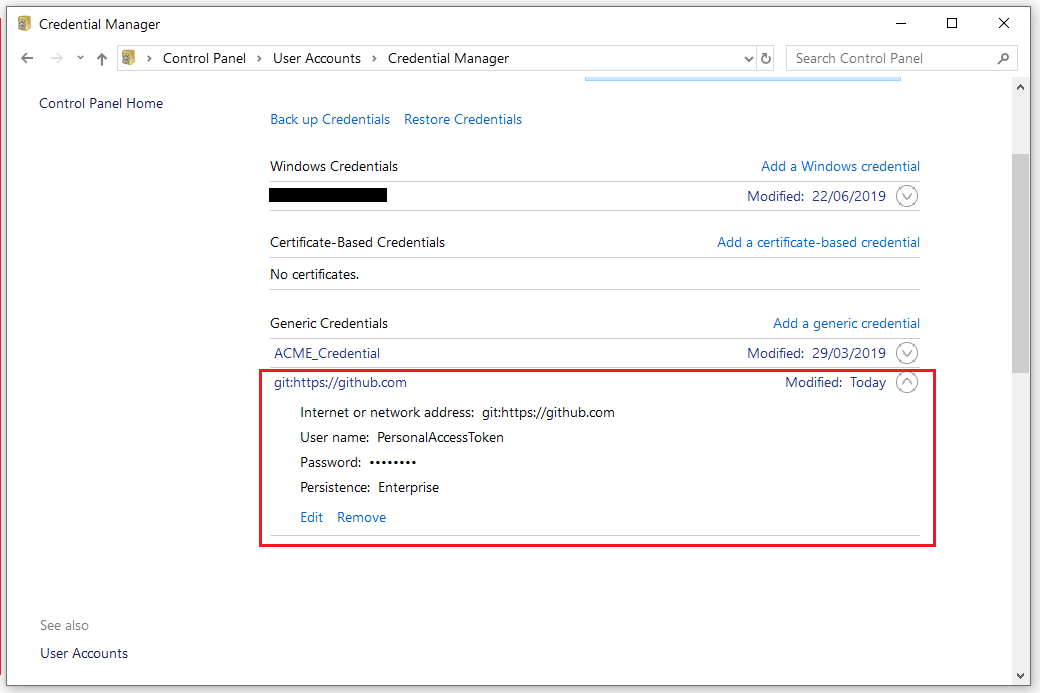
The first time one pushes a local repo of his/her to the corresponding remote repo in a given account on GitHub, a Personal Access Token in the form of a generic credential is created using his/her password for that particular GitHub account(see the image below). Notice that the credential is tied to GitHub URL and not the URL of the repo that was pushed upstream.
However, if one were to attempt to push some code from a local repo up to a remote repo that is tied to another GitHub account other than the one used at first, (s)he would get the Permission denied error depicted in the image below.
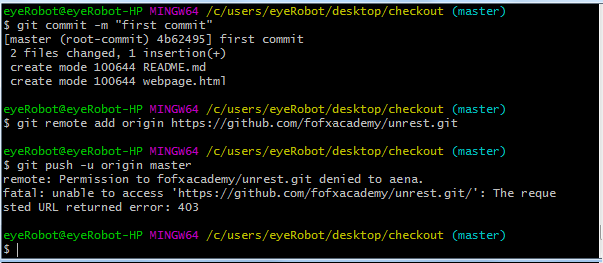
At this point, one can choose to go to Credential Manager, edit the credential there by changing the password to that of the new (or other) GitHub account (s)he is trying to push to. Or, (s)he could choose to delete the generic credential for github there and then, run the git push command again so Git would ask for the GitHub login credentials of the account (s)he is trying to push to.
However, this approach can be rather cumbersome in that you have to be updating the github credentials everytime an account different from the current one on your machine is to be connected to. The preferred solution is to configure Git to allow multiple GitHub accounts on the same machine.
Simple steps to configure multiple GitHub accounts on Windows
- Move all your work repositories to a single directory like c:\repos\work
- Move all your personal repositories to a single directory like c:\repos\personal
- Create a .gitconfig-work file in the same directory as your .gitconfig file. This can be located under c:\Users\{username}\ folder on a Windows PC.
[user]
  name = John Doe
  email = {Work Email Here}
[credential]
  helper = manager-core
- Create a .gitconfig-personal file in the same directory as your .gitconfig file.
[user]
  name = John Doe
  email = {Personal Email Here}
[credential "https://github.com"]
  helper = wincred
  useHttpPath = true
the useHttpPath argument for the credential manager is key as it will will prompt you for credentials for each repository instead of using a single credential for all repositories on a given platform (e.g. GitHub, GitLab, BitBucket, etc)
- Update your .gitconfig file in your home directory to have an
includeifto change which git config pull in based in kn the directory.
[includeIf "gitdir:C:/TFS/"]
  path = .gitconfig-work
[includeIf "gitdir:C:/MY_DATA/MyData/Repos/"]
  path = .gitconfig-personal
[core]
  longpaths = true
Now your git configuration will change based on the directory your git repository. This ensures that the right account is associated to your commits. As well as it will prompt you for your GitHub credentials per repository url.